
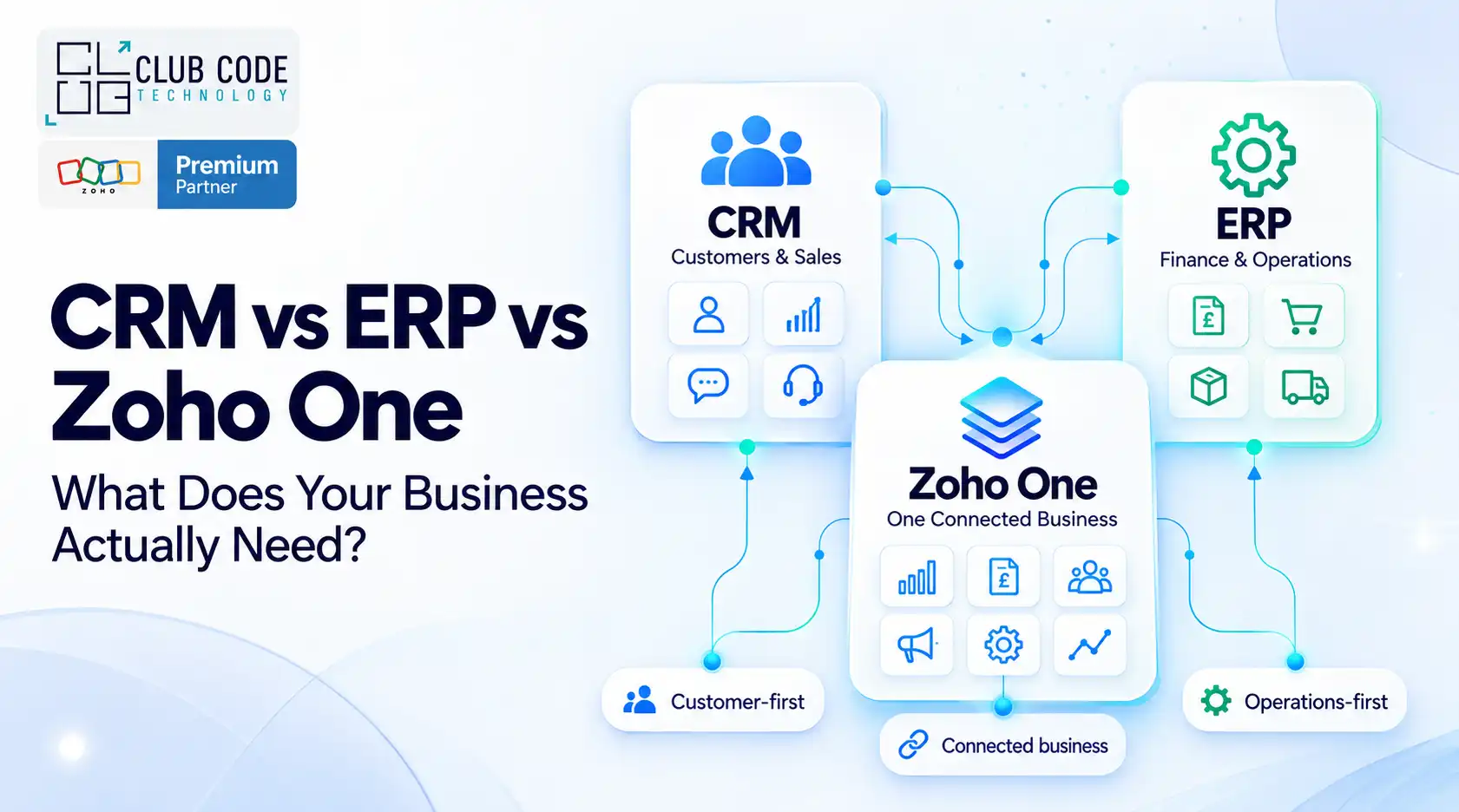
CRM, ERP and Zoho One all get pitched as the answer to disconnected systems and manual admin. They’re not interchangeable. Buying the wrong one first is one of the more expensive mistakes a growing business can make — not because the software costs a lot, but because of the re-work involved once it turns out not to cover what you actually needed.
Here’s the short version. A CRM manages relationships with customers and prospects: sales pipeline, enquiries, support history. An ERP coordinates the wider operational and financial backbone of the business: inventory, accounting, procurement, sometimes HR and production. Zoho One bundles more than 45 Zoho applications into one licence, connected from the ground up, so it can cover both areas without a separate integration project.
Which one you need depends on where your current pain actually sits. That’s what this guide works through.
What a CRM actually manages
A CRM system manages everything about how you win and keep customers: contacts, companies, deals, quotes, support tickets, and the communication history behind all of it. Your problem is CRM-shaped if this sounds familiar:
- Sales enquiries sit in someone’s inbox or a spreadsheet, and follow-ups get missed
- Nobody can see the sales pipeline without asking someone to check
- Customer history is scattered across email threads, so a new team member starts from zero
- Reporting on conversion rates or sales performance means manually pulling numbers together
A CRM solves the relationship and revenue side of the business. It generally doesn’t manage stock levels, run payroll, or handle multi-entity accounting. That’s ERP territory.
What ERP actually coordinates
ERP (Enterprise Resource Planning) software runs the operational and financial engine of the business: the parts that happen after a sale is won, or that happen regardless of sales at all. Purchasing, inventory, production scheduling, accounting, and often HR all sit here. Traditional ERP platforms build around a single shared database, so a stock movement, a purchase order and a financial entry are all the same underlying record, seen differently by different departments.
Your problem is ERP-shaped if:
- Finance, warehouse and operations each keep their own version of the truth, and month-end mean s reconciling them by hand
- Stock counts on paper or in a spreadsheet don’t match what’s actually on the shelf
- Production or project costing gets worked out manually after the fact, rather than tracked as it happens
- Multiple systems need updating by hand every time something changes
A traditional ERP usually asks for a bigger, more structured commitment than a CRM. It touches how operational teams work day to day, not just how sales teams sell, so it brings more modules, more configuration, and a bigger internal change-management job.
Where Zoho One fits — and where it doesn’t
This is the part most comparison articles skip, and it’s the one that actually matters for a UK SME weighing up its options.
Zoho One isn’t a traditional ERP database
Zoho One doesn’t work like a single monolithic ERP database in the way a traditional ERP platform does. It’s a connected suite: Zoho CRM, Zoho Books (accounting), Zoho Inventory, Zoho People (HR), Zoho Analytics, Zoho Creator, and dozens more, all licensed together and built to work as one system rather than as separate tools bolted together afterwards. For a large share of UK SMEs, that combination covers the practical territory of both CRM and ERP — sales, finance, stock, HR, reporting — without the cost and timeline of a traditional multi-module ERP implementation.
Where the suite reaches its limits
Businesses with complex manufacturing, multi-entity international finance, or highly regulated production processes often need more than a connected app suite provides out of the box. In those cases, the practical route usually involves a bespoke operational system built on Zoho Creator, Zoho’s low-code development platform, configured specifically around your processes. Don’t expect an off-the-shelf module to match a genuinely complex operation. That’s a custom-build project, not a licence purchase, and it’s worth knowing the difference before you budget for either.
The honest positioning
Zoho One works as a strong, connected alternative to buying separate CRM and ERP systems for most SMEs, and as a strong foundation for custom operational tooling where needs run more complex. It isn’t automatically “an ERP” in the traditional sense. A business with genuinely complex multi-entity manufacturing operations should scope that carefully rather than assume Zoho One covers it unmodified.
A practical way to work out where you actually sit
Start from where the pain is today, not from the software category.
If sales and customer relationships cause the entire problem — missed follow-ups, no pipeline visibility, scattered customer history — start with CRM. You don’t need operational modules you’re not using yet.
If operations and finance cause the entire problem — stock discrepancies, manual reconciliation, no real-time costing — and sales tracking already works fine, prioritise the ERP side. That might mean implementing Zoho Books, Inventory and related apps before touching CRM at all.
If the problem spans both — sales data doesn’t talk to stock or finance data, teams re-key the same information into multiple places, month-end means manually stitching together numbers from different systems — that’s the strongest case for a connected suite like Zoho One from the outset. Implementing CRM and ERP separately now just means integrating them later at extra cost.
If your operation has genuinely complex requirements — multi-site production, regulated manufacturing processes, complex multi-currency multi-entity accounting — scope a custom-built solution on Zoho Creator (or a dedicated ERP platform) properly before committing. Don’t assume a standard implementation will stretch to fit.
A short, honest assessment of where the pain actually sits saves more money than any software discount. It’s the difference between one implementation done properly and two implementations followed by an integration project.
Common mistakes UK businesses make at this stage
Buying software before mapping the process. Licensing a CRM or ERP module doesn’t fix a broken process. It usually just digitises it faster. Map how work actually flows through the business first.
Choosing based on what a competitor uses. Another business’s system choice reflects their operations, their data volume and their team structure, not yours.
Assuming “connected suite” means “zero configuration.” Zoho One’s apps work together by design, but every business still needs the CRM, the accounting rules, the approval workflows and the reporting configured to match how it actually operates. Buying the licence is the easy part. The implementation plan determines whether it gets used.
Underestimating change management. ERP-level projects in particular touch how operational teams work every day. A system that’s technically correct but poorly adopted delivers none of the value it was bought for.
Solving for today’s headcount only. A system that fits ten people can become a bottleneck at thirty. Ask, at the point of decision, roughly how much the business expects to grow into the platform over the next two to three years.
Where to go from here
If you recognise your business in the “spans both” or “complex requirements” categories above, the next practical step isn’t picking a product. It’s a short, structured conversation about where your process actually breaks down, so any recommendation reflects your operations rather than a generic feature comparison.
ClubCode Technology Pvt Ltd is a AI Enabled Partner and Zoho Premium Partner working across CRM, ERP-style operational builds and full Zoho implementations for businesses in more than 40 countries. Our role in that conversation is to tell you honestly which category fits, including cases where the answer is “start smaller than you were planning to.”
Book a free systems assessment call and we’ll map your current process gaps before recommending a direction, not the other way round.
Frequently asked questions
Is Zoho One a CRM or an ERP?
Neither, strictly. It’s a connected suite of more than 45 applications that includes a full CRM (Zoho CRM) alongside operational and financial apps (Zoho Books, Zoho Inventory, Zoho People and others), which together cover much of what a traditional ERP does for small and mid-sized businesses.
It doesn’t build around a single ERP-style database the way dedicated ERP platforms do, so businesses with complex manufacturing or multi-entity finance needs should scope those requirements carefully rather than assume it fits unmodified.
Do I need a CRM or an ERP first?
It depends where the operational pain actually sits. If the problem is missed sales follow-ups and no pipeline visibility, start with CRM. If it’s stock discrepancies, manual reconciliation or unreliable costing, prioritise the operational and finance side first, even if that’s technically part of an ERP-style rollout.
Can Zoho One replace separate CRM and ERP systems?
For most UK SMEs, yes, in practical terms. Zoho One’s connected apps cover sales, finance, inventory, HR and reporting without needing to integrate separate platforms afterwards. Businesses with complex production or multi-entity accounting usually get a more accurate fit from a custom build on Zoho Creator, or a dedicated ERP platform.
What’s the difference between Zoho One and Zoho CRM?
Zoho CRM is a single application focused on sales and customer relationship management. Zoho One is the full suite: CRM included, bundled with dozens of additional applications covering finance, HR, operations, analytics and more, licensed together as one connected system.
How long does it take to implement Zoho One versus a single CRM?
A focused CRM implementation is typically faster, because it’s one application with a narrower scope. A Zoho One rollout covering multiple departments takes longer to plan. Because it touches more processes, data sources and teams — but it avoids a second integration project later.
Is Zoho One suitable for a small business, or is it built for larger companies?
Zoho One serves businesses across a wide range of sizes. Company size isn’t the relevant question on its own. What matters is whether the business’s problems span multiple departments, which makes a connected suite earn its cost, or sit entirely within one function like sales, which points towards a smaller CRM-only implementation.
What happens if we choose the wrong category — CRM instead of ERP, or vice versa?
It’s rarely wasted entirely, but it usually means a second implementation and an integration project later, which costs more in total than getting the category right from the outset. This is exactly why a process-first assessment before choosing software is worth the time.